Easy Folders

Easy Folders is a browser extension designed to organize ChatGPT and Claude interactions. It provides folders, a prompt library, and a search function to enhance productivity. It is ideal for managing multiple projects or extensive prompt usage.
What is Easy Folders
Easy Folders is a browser extension created to streamline user interaction and organization within ChatGPT and Claude. By implementing a structured folder system, users can efficiently categorize their chat history and prompts for seamless management of projects. Beyond basic folder organization, Easy Folders offers a quick-search function to find previous conversations. It also allows saving and reuse of commonly used prompts to ensure consistency and save time during projects.
Key Features of Easy Folders
This extension offers essential tools like folder organization, prompt saving, and a search tool.
Folder Organization: Create folders and sub-folders to organize conversations with AI chatbots like ChatGPT and Claude, categorizing different projects and discussions for improved structure.
Prompt Library: Store and manage commonly used prompts in a central repository for efficient access and reuse, saving time and improving overall workflow.
Search: Locate specific conversations and prompts rapidly using keywords, making it easy to quickly locate and access your previously used content.
Browser Integration: Seamless integration into the user's existing browser enhances daily use, minimizing interruption to standard chat workflow and reducing friction. Compatible specifically with ChatGPT and Claude
Use Cases of Easy Folders
Managing Multiple Projects: Keep different projects separate and organized within distinct folders, preventing overlap and confusion.
Prompt Organization & Reuse: Save time and maintain consistency using the prompt library, allowing for efficient application of previously tested strategies.
Research & Content Creation: Organize interactions into themed folders to ensure efficiency and improve search in large conversations and content creation workflows.
Streamlining Workflows: Locate information efficiently using keywords rather than navigating a complex mess of multiple chats to drastically simplify the research and writing processes
Easy Folders Pros and Cons
- Enhanced Organization: Enables clear and efficient organization of your chats and prompts, preventing clutter and streamlining your workflows.
- Improved Productivity: Simplifies and streamlines processes so that recalling previous work and employing reused prompts takes mere minutes instead of hours, enabling a dramatic improvement in productivity.
- Easy Access to Prompts: Saves and reuses prompts and simplifies the creation of complex multi-part conversations which saves effort and facilitates better control in interactions.
- Limited Platform Compatibility: Currently restricted to ChatGPT and Claude, excluding other potential AI platforms.
- Browser Extension Dependency: Requires users to install and rely on a browser extension which could potentially create clutter or have compatibility issues in the future.
- Learning Curve: May require a minor learning curve, though relatively minimal, to get users familiar with how its features work.
Easy Folders FAQs
What is Easy Folders and what are its key benefits?
Easy Folders is a browser extension that enhances your interactions with large language models, especially ChatGPT and Claude, by offering organizational tools such as folders and sub-folders, a prompt library, and search.
How user-friendly is Easy Folders?
Easy Folders is designed to be straightforward and easy to use. Install it as a browser extension and it integrates seamlessly with ChatGPT or Claude's interface to provide a smooth workflow. The folder organization and search are simple to grasp even for non-technical users.
Does Easy Folders let me save my frequently used prompts for easy access?
Yes, the prompt library in Easy Folders helps organize and save commonly used prompts or snippets. You can reuse these, further reducing the time required for interactions.
Interested in this product?
Updated 2025-06-15

🔍 Find More Tools
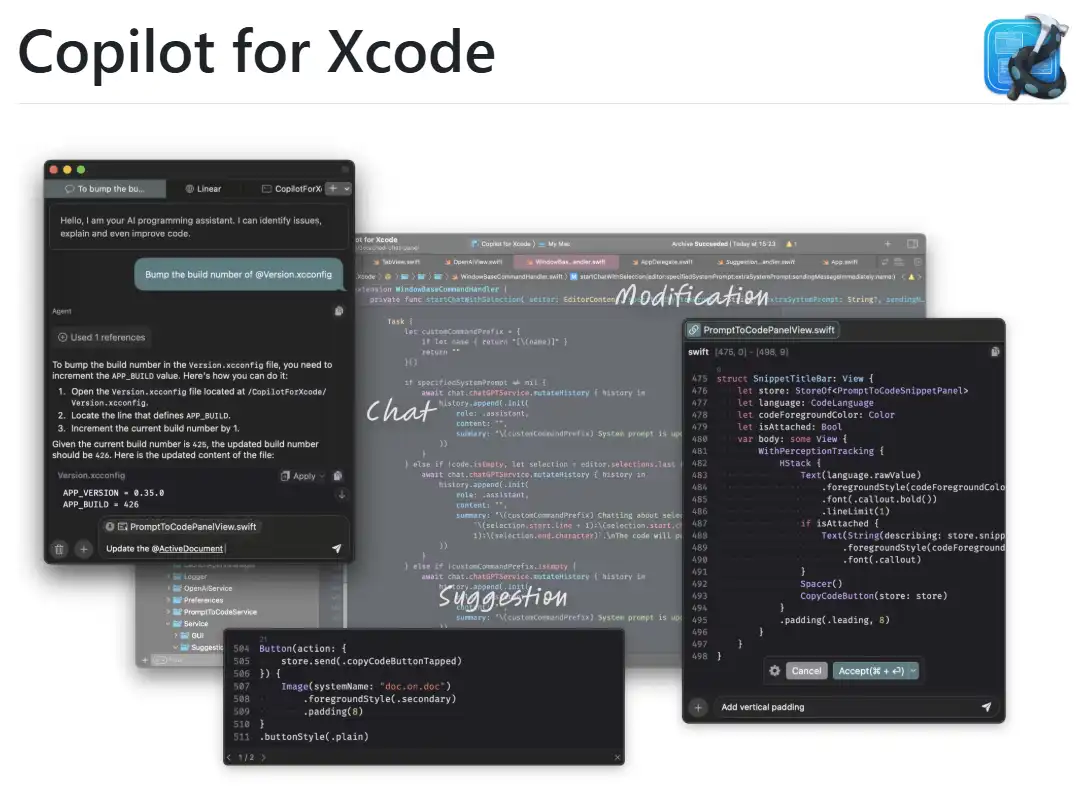
CopilotForXcode is an Xcode Source Editor Extension offering AI-powered code suggestions, chat assistance, and prompt-to-code features using GitHub Copilot, Codeium, and ChatGPT within Xcode.

Alice App is an AI-powered desktop assistant that boosts productivity by automating various tasks. It utilizes advanced AI models like GPT-4 and Claude while maintaining a strong focus on user privacy. Alice streamlines workflows through customizable quick-action prompt command capabilities with snippets.

eCommerce ChatGPT Prompts is a content generation tool that leverages a vast library of pre-built and customizable prompts. It provides solutions for a wide range of eCommerce and marketing content needs, including product descriptions, ad copy, social media posts, and email marketing material. This empowers businesses to easily create effective and targeted marketing content.
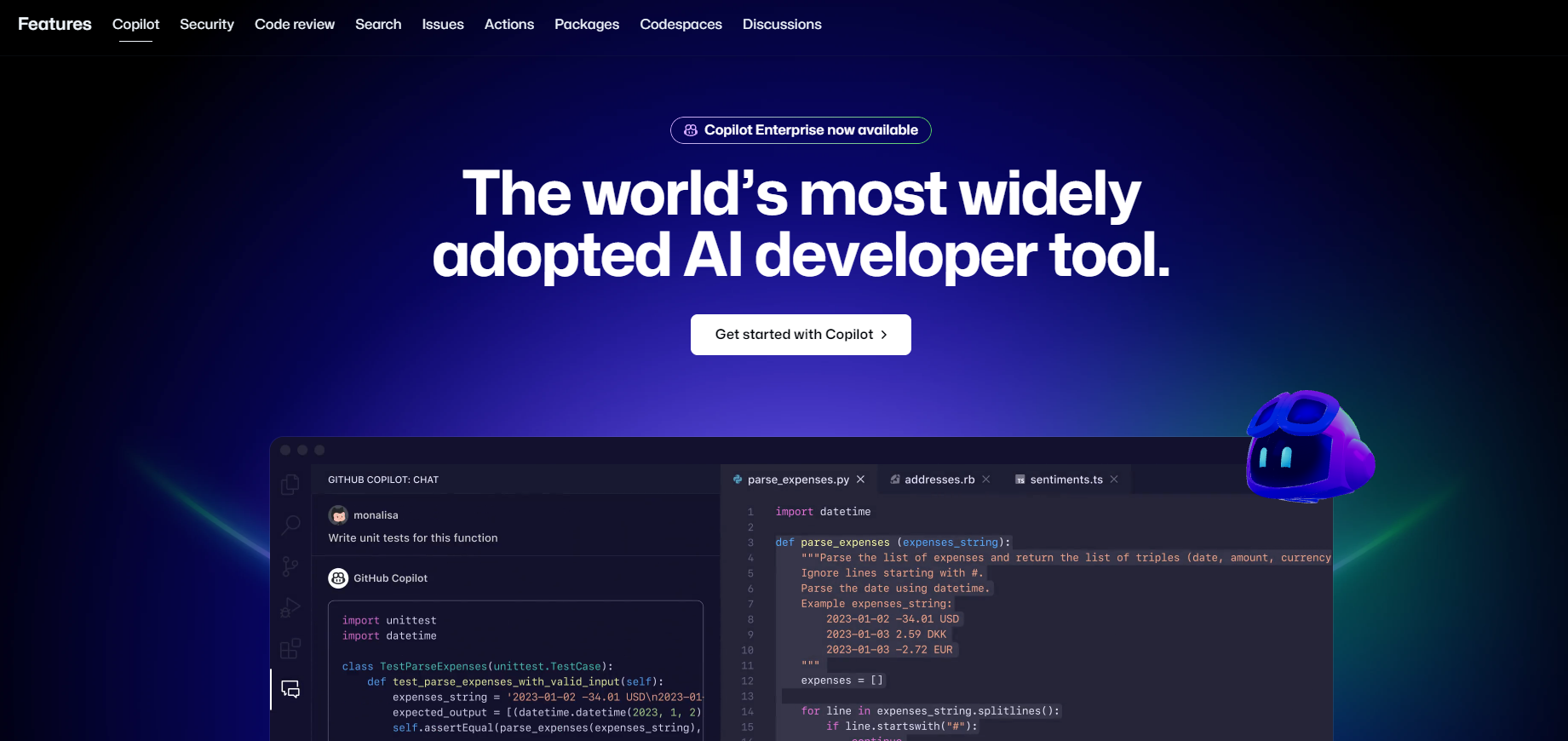
GitHub Copilot is an AI-powered coding assistant that provides natural language interactions, real-time code suggestions, and contextual support directly within supported IDEs and GitHub.com.

Moonvalley is an AI video generator that enables users to create cinematic and animated videos from text prompts. It simplifies complex video production using advanced AI technology. The platform offers features like customizable templates and real-time editing for efficient content creation.

MockFlow is a collaborative platform to create and test prototypes of software and web interfaces, allowing you to generate mock-ups using built-in component libraries for quick building. It facilitates enhanced communication amongst project teams.